
Contents
Minimum Installation Clearances
Mounting
Removing the Cover
Connections
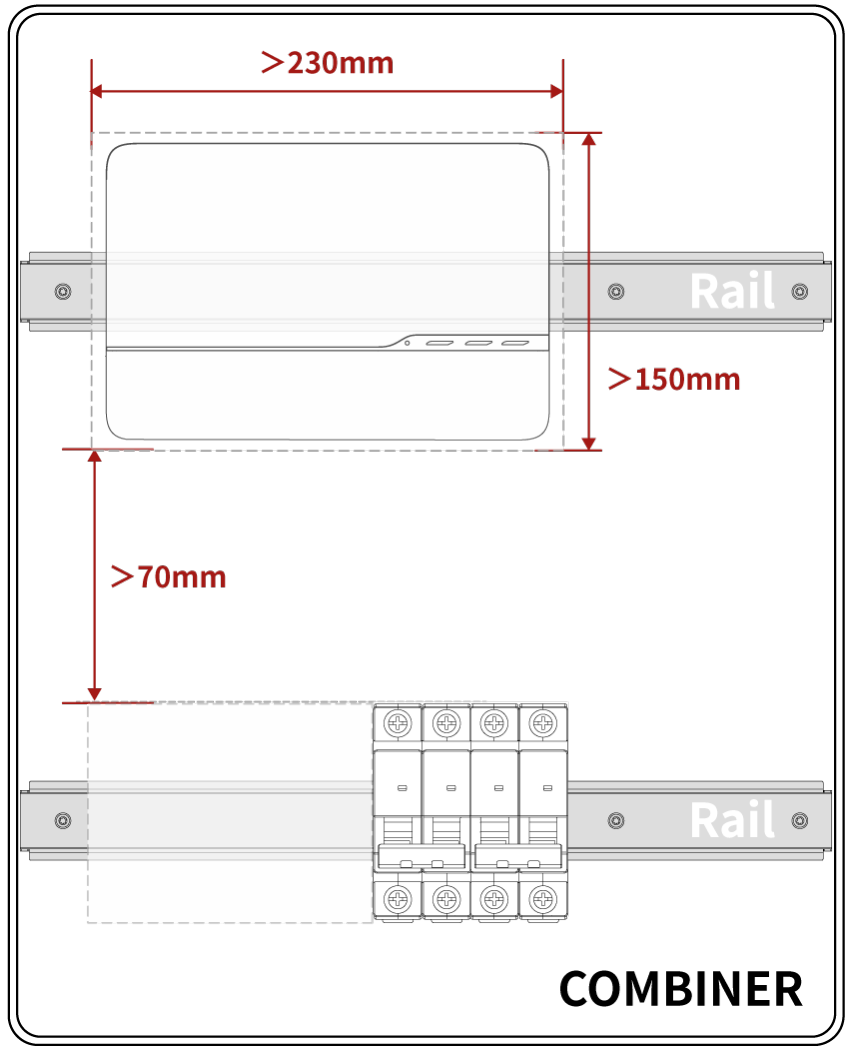
Minimum Installation Clearances
-
Ensure the space meets the M-Gateway installation requirements as shown in the figure above.
-
Ensure there is at least 70mm of clearance between the bottom of the M-Gateway and other devices.
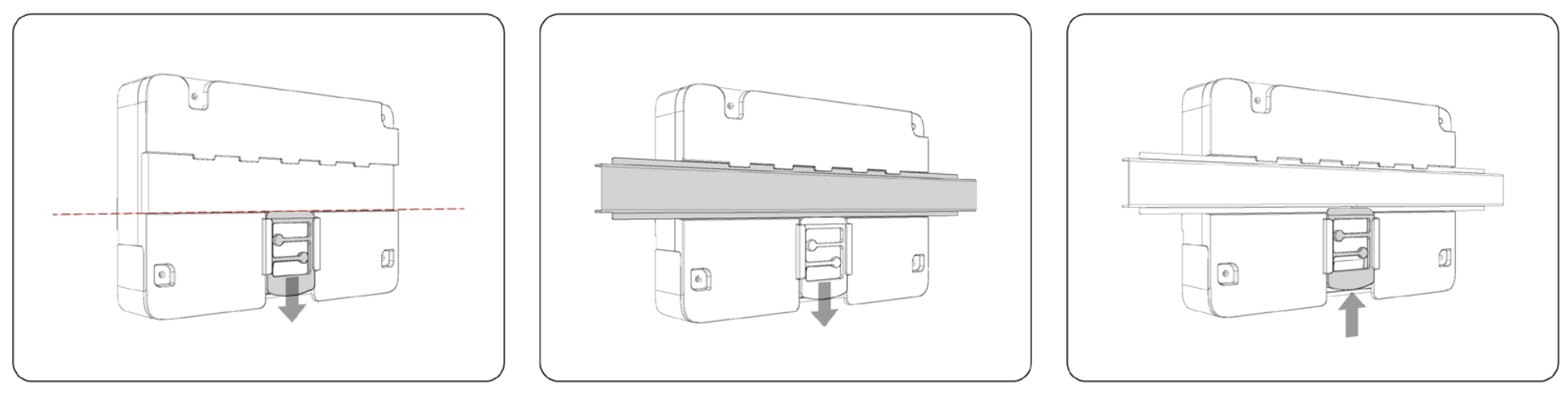
Mounting
-
Pull down the securing clip on the M-Gateway.
-
Align the M-Gateway with the 35mm punched DIN rail inside the combiner box.
-
Release the securing clip.
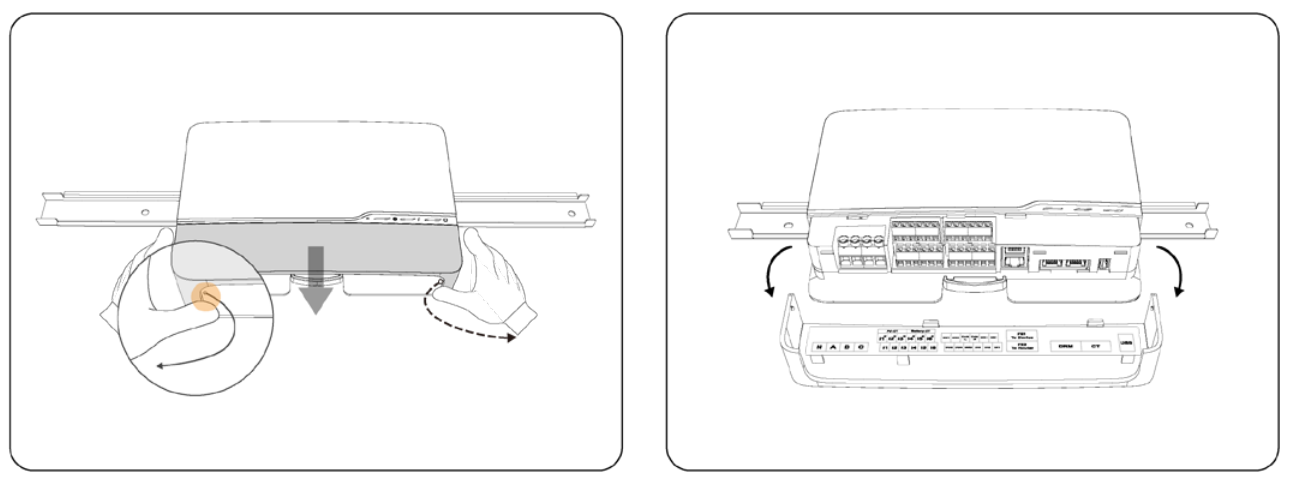
Removing the Cover
-
Press the cover buckles outward simultaneously.
-
Pull the cover and check the interface diagram inside the gateway cover.
Connections
-
Connection instructions for 1 phase systems can be found here.
-
Connection instructions for 3 phase systems can be found here.
Information in this article was current at the time of publication or last update. Product specifications, software, firmware and procedures may change. Please refer to the latest ATMOCE documentation before proceeding.