
During the initial commissioning, Bluetooth is automatically enabled. This allows for local connection and access.
After 4 hours, the Bluetooth functionality will deactivate automatically. It is expected that further communications after commissioning will take place using an Ethernet cable or WIFI.
To access the ATMOCE device locally again, the Bluetooth functionality will need to be reactivated. Please note that it will deactivate after 4 hours.
This article provides Bluetooth reactivation instructions for the following devices:
MG100 gateway
-
Short press the pinhole with a pin for 3-10 seconds.
-
The network indicator LED will flash orange 3 times at an interval of 0.2 seconds to confirm that Bluetooth is enabled.
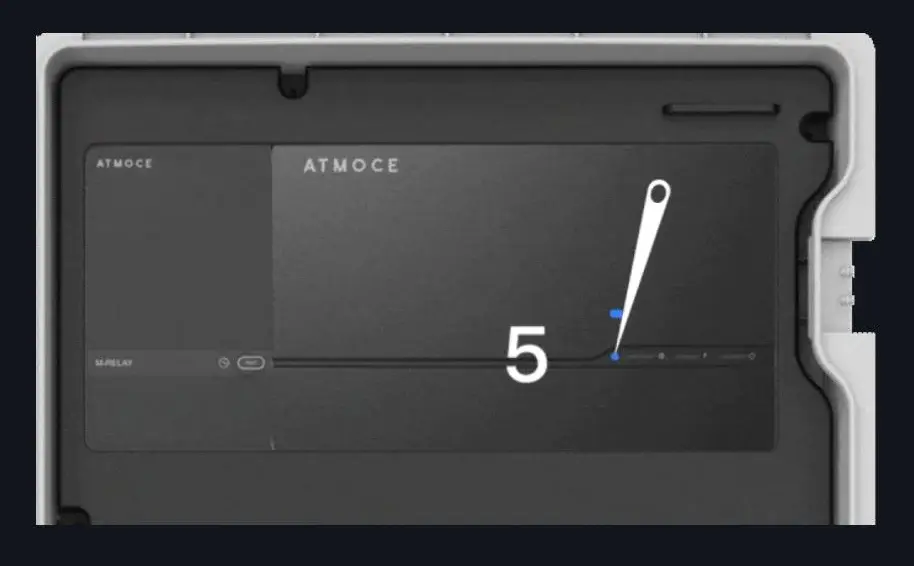
-
- Select Menu, Local Access, and then follow the prompts.
MS-16K-U battery
-
Press the side button for 3 seconds.
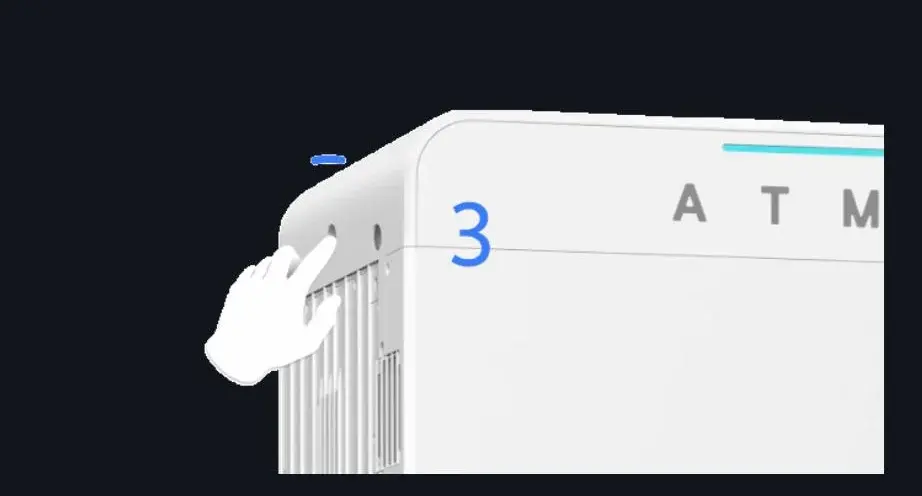
- Select Menu, Local Access, and then follow the prompts.
MEV-7KT2S-S EV charger
-
Press the side button for 3 seconds.
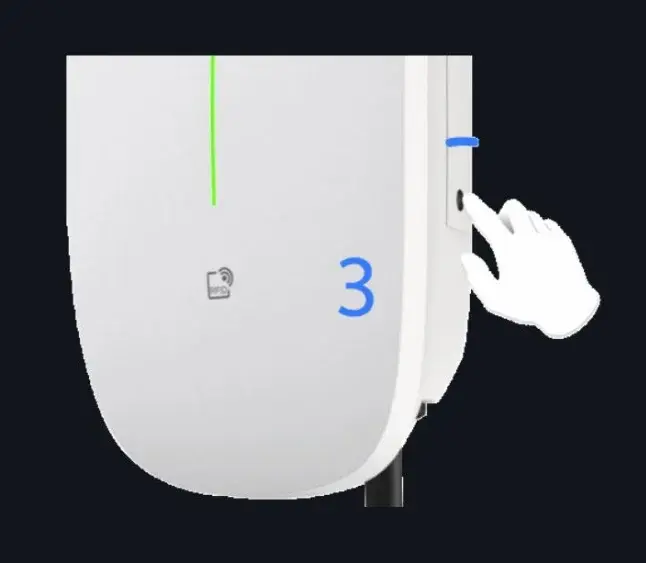
- Select Menu, Local Access, and then follow the prompts.
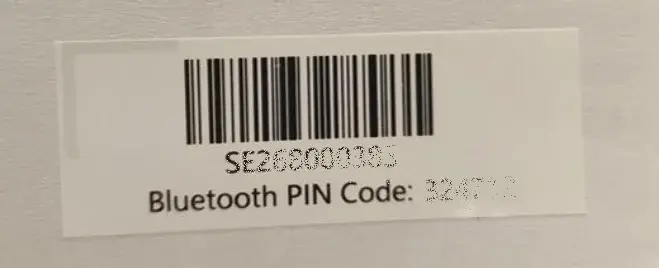
Refer to the Quick Installation Guide for the Bluetooth pairing code.
Information in this article was current at the time of publication or last update. Product specifications, software, firmware and procedures may change. Please refer to the latest ATMOCE documentation before proceeding.