
Atmoce cloud supports an Upper-level and Lower-level hierarchy structure. This allows installers to see systems 'under' them.
- Lower-level installers can see systems they installed.
- Upper-level installers can see systems they installed AND all systems installed by Lower-level installers.
Within the Upper-level, users can take on different roles:
- Creator
- Initial account and cannot be deleted.
- Can create, modify, and delete Admin, Installer, and Viewer accounts.
- Assigns site access permissions and has full control of systems.
- Admin
- Must be invited by the Creator or an Admin.
- Can manage user accounts (Admin, Installer, Viewer), including create, edit, and delete.
- Has similar day-to-day management permissions as the Creator.
- Installer
- Must be invited by the Creator or an Admin.
- Responsible for site deployment and maintenance.
- Can create, delete, configure, and control assigned sites.
- Viewer
- Must be invited by the Creator or an Admin
- Has read-only access to assigned site resources and data
Depending on the company structure, you can design the ATMOCE cloud account structure as required.
This article provides instructions to:
- Add an installer to your account on the same level.
- Add an installer to your lower-level group.
Instructions - Adding to same level
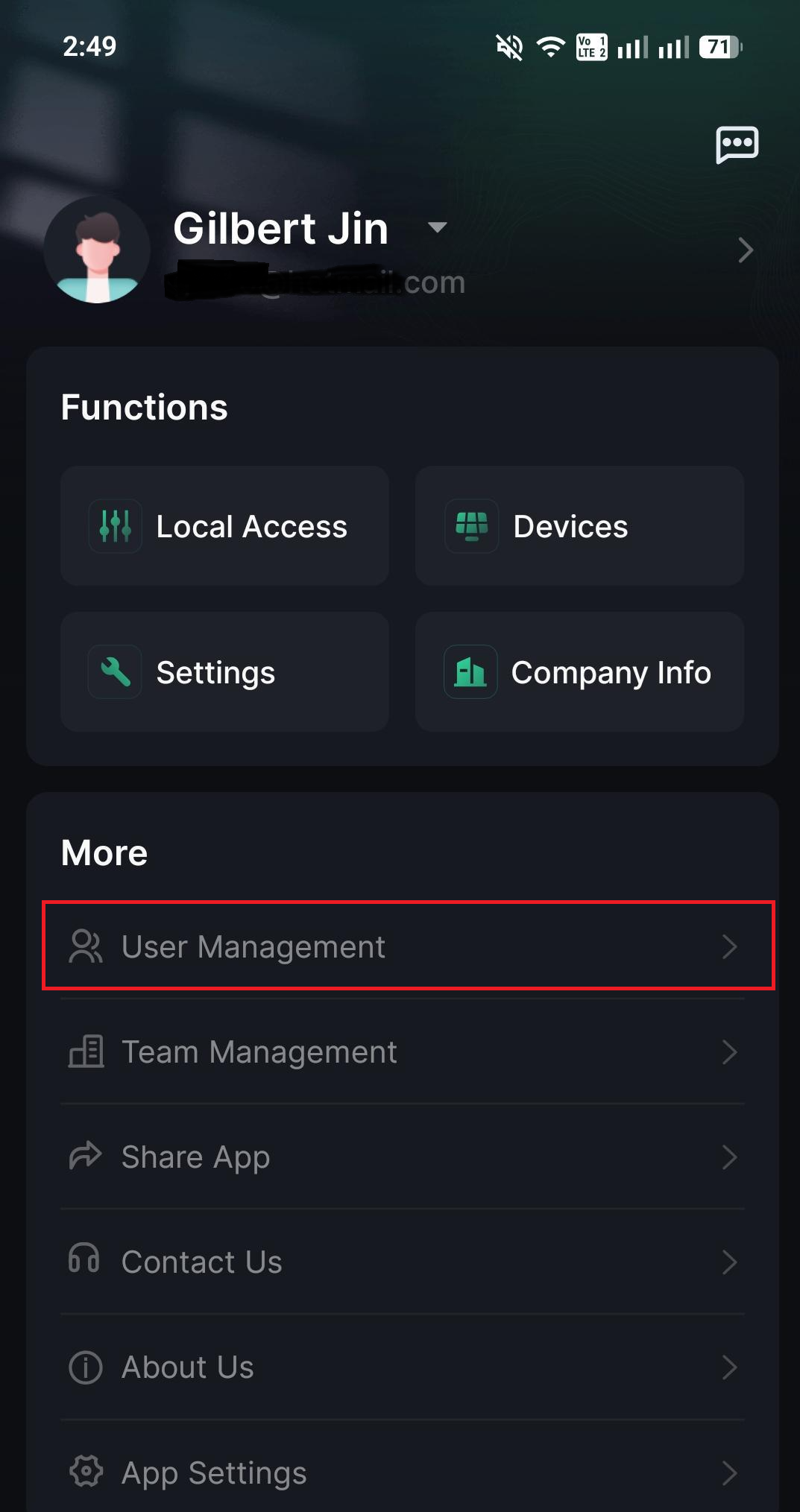
- Click on the Menu option.
- Select User Management.
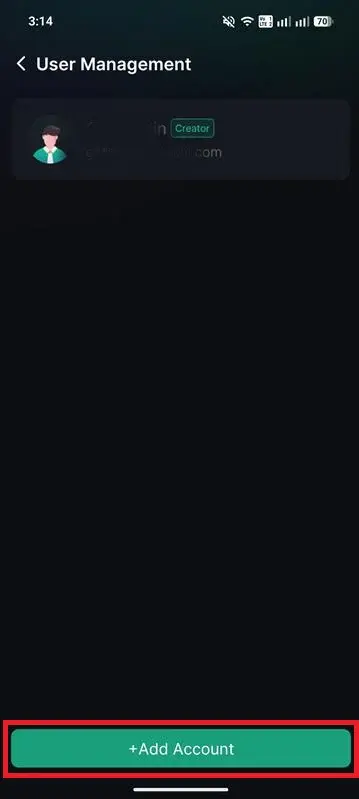
- Select Add Account.
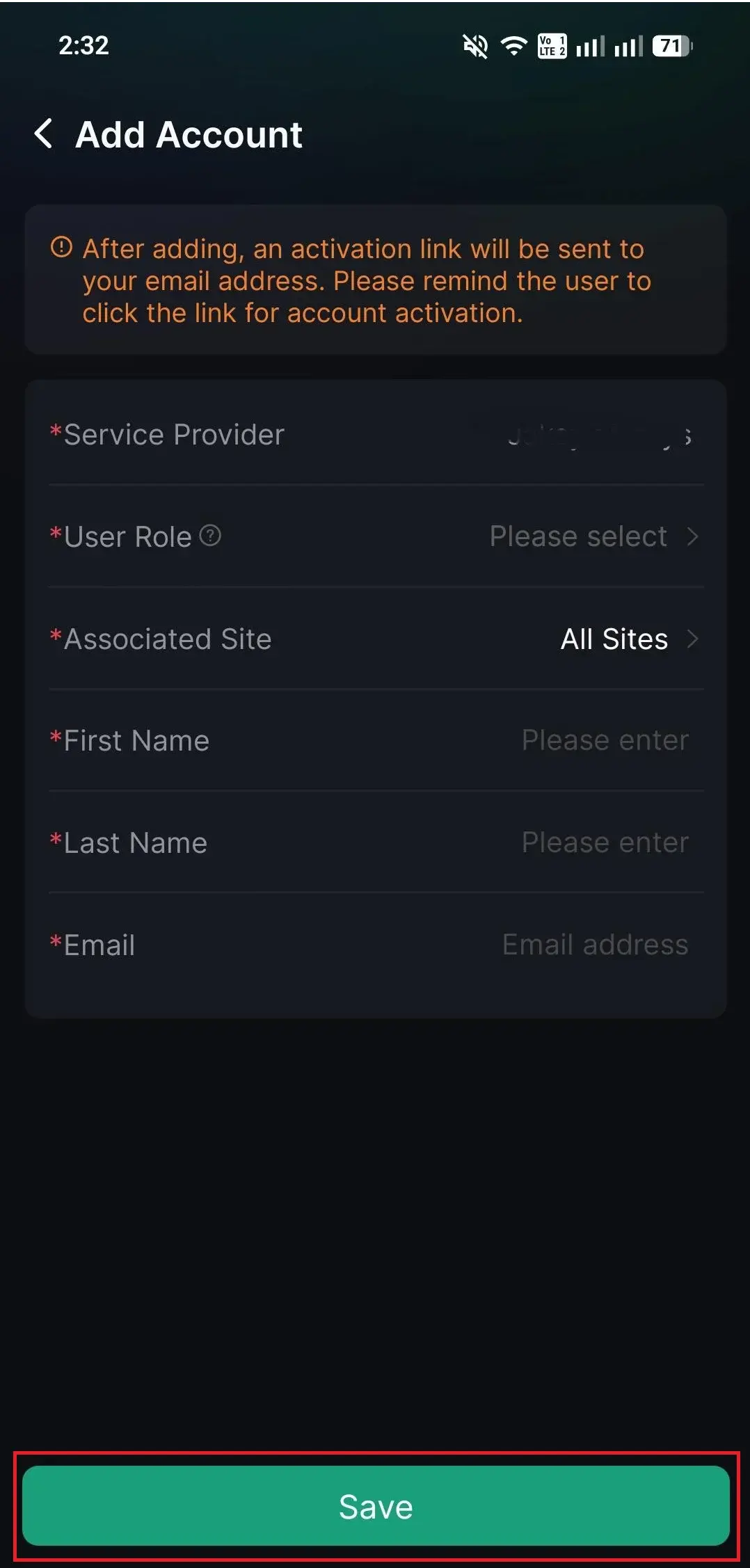
- Enter in the details, including the User role, and click Save.
Instructions - Adding a Lower-level installer
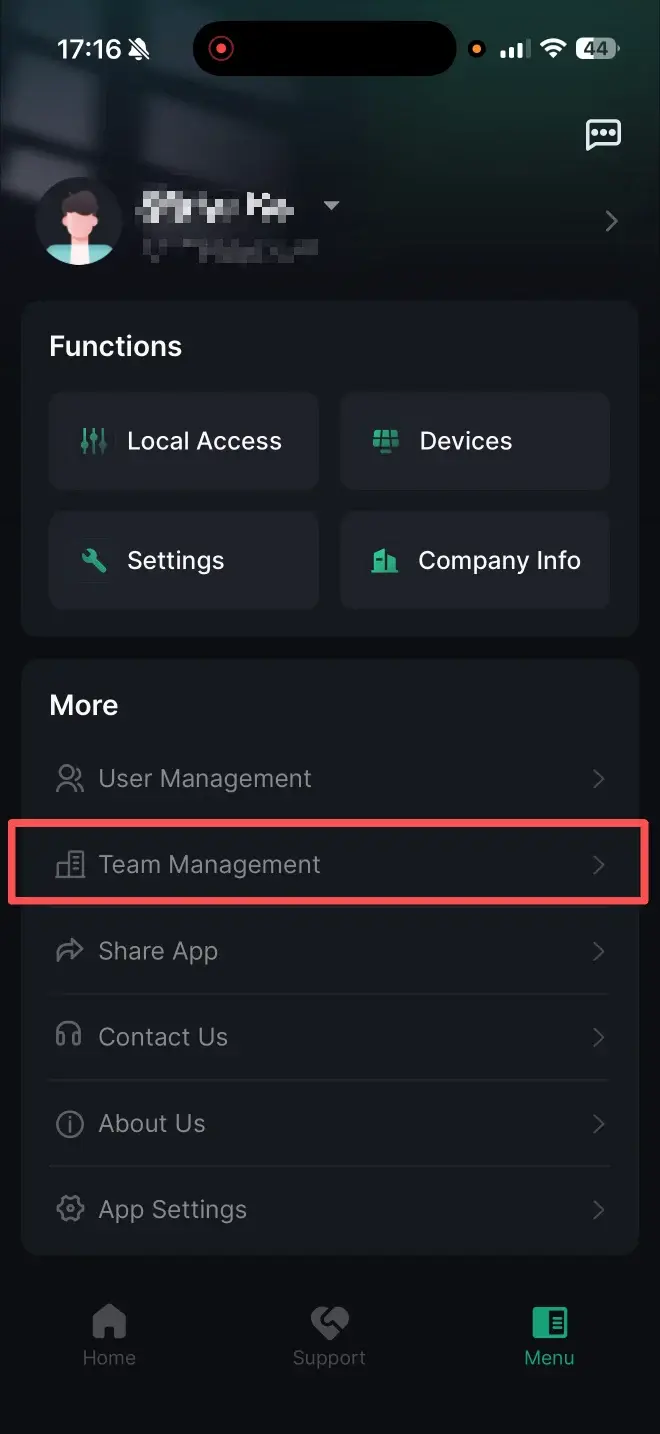
- Click on the Menu option.
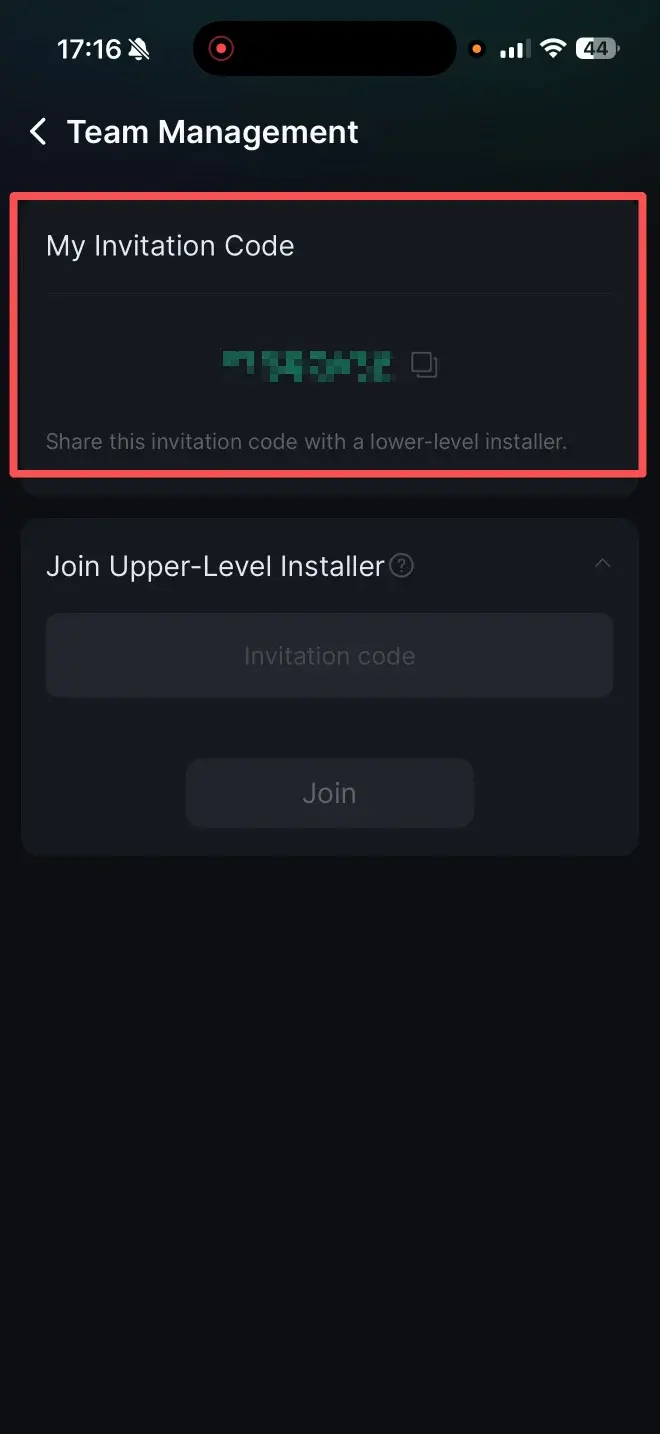
- Select Team Management.
- Send your invitation code under My Invitation Code to the lower-level installer.
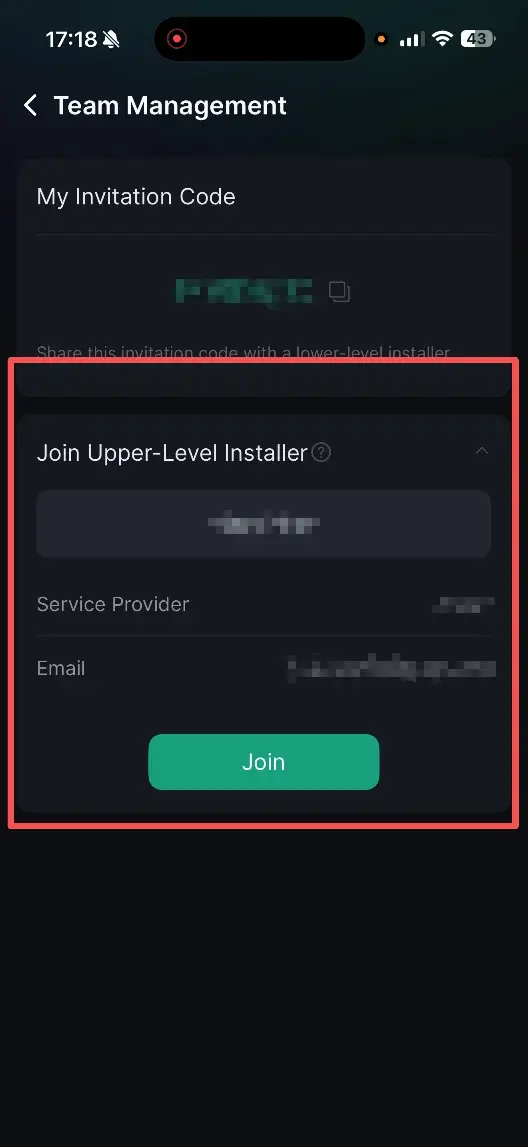
- The lower-level installer enters your invitation code under Join Upper-Level Installer and clicks Join.
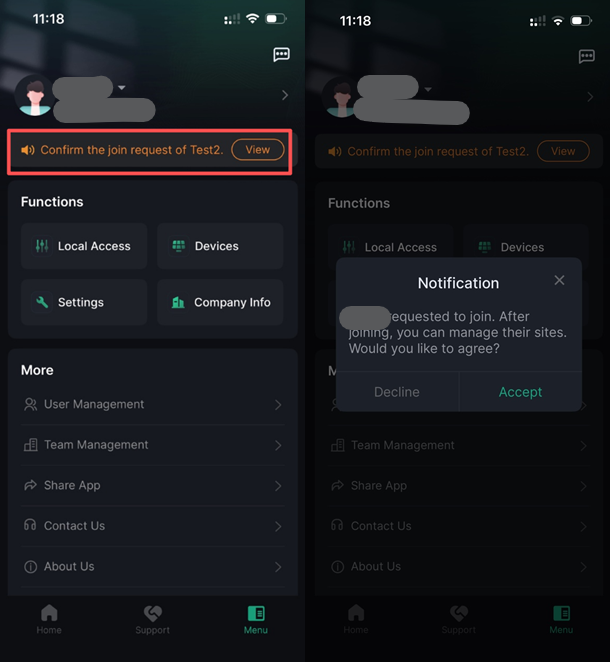
- The upper-level installer will receive the approval request.
- The upper-level installer will receive the approval request.
- Click View and Accept.
Afterwards, you can see who is listed in your lower-level group.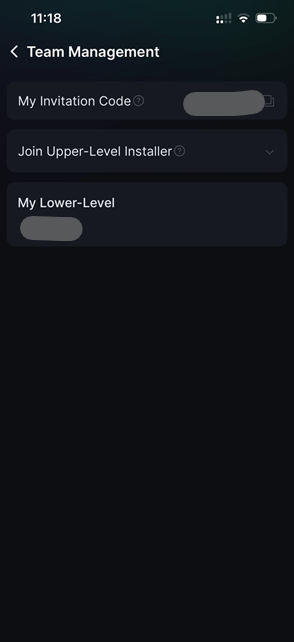
- Each account can only join 1 Upper-level installer.
- If you are a sub-contractor providing services for multiple installation companies, you will need to create 1 account per Upper-level installer.
- You can register new accounts with the same email address, but the username must be different
Information in this article was current at the time of publication or last update. Product specifications, software, firmware and procedures may change. Please refer to the latest ATMOCE documentation before proceeding.