
Instructions
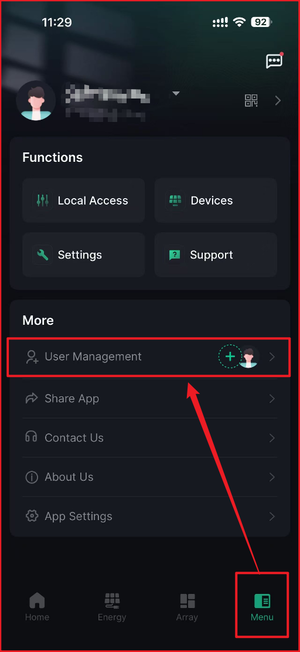
- Click on the Menu option.
- Select User Management.
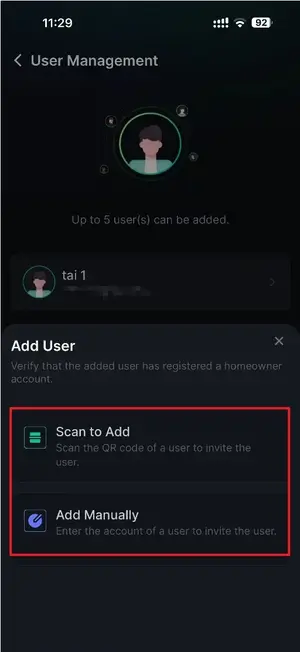
- Select either Scan to Add or Add Manually.
- QR codes can be found next to the profile icon, or
- Email addresses can be entered manually.
-
Anyone who wants to view the system will need to create an Atmozen account.
-
During registration, please make sure they select the same account region as the homeowner’s account.
-
Up to 5 members can be added to one homeowner account.
Information in this article was current at the time of publication or last update. Product specifications, software, firmware and procedures may change. Please refer to the latest ATMOCE documentation before proceeding.