
Contents
Minimum Installation Clearances
Mounting
Wiring SLD
Cable sizing
3rd Party PV Connection
Battery AC & CAN Connection
Grid Connection
Backup Load Connection
Non-Backup Load Connection
Other Connections
Minimum Installation Clearances
The Combiner Box requires a clearance of at least 1000 mm vertically from the floor.
Mounting
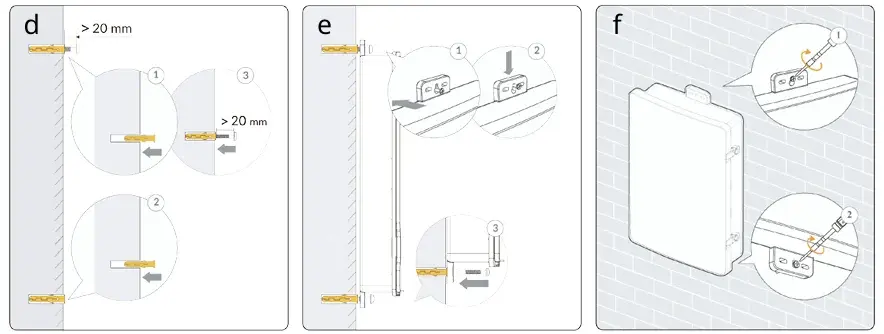
- Drill holes at the wall mounting positions indicated on the marking plate.
- Insert wall anchors into the holes and insert the M8 screw into the top hole (loosely tightened).
- Hang the top mounting tab on the screw and then insert the M8 screw into the bottom hole.
- Tighten the M8 screws to 9–14 Nm.
Wiring SLD
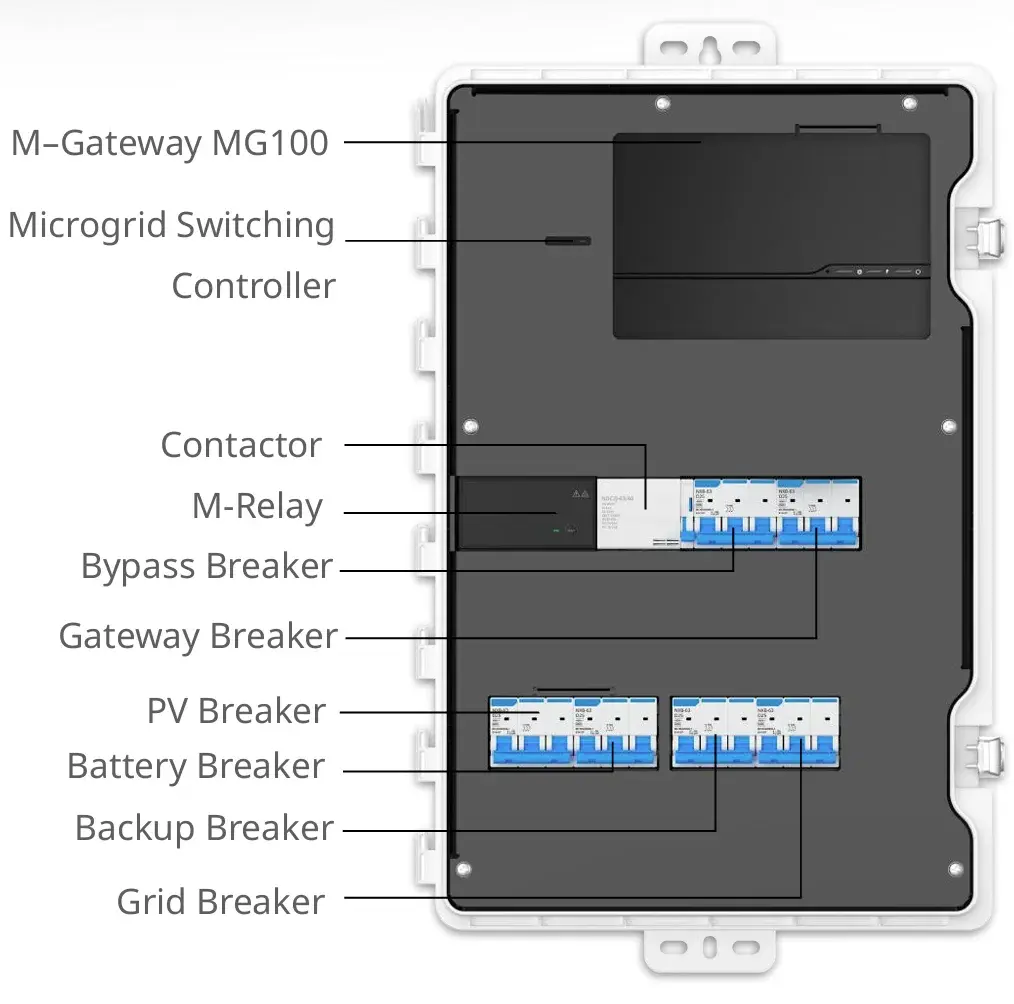 The MC100PRO-S1P Combiner Box comes with the gateway, backup unit, circuit breakers, and CTs pre-assembled to reduce complexity and overall installation time.
Please note that the below diagrams may differ from the Combiner Box onsite due version changes.
Cable sizing
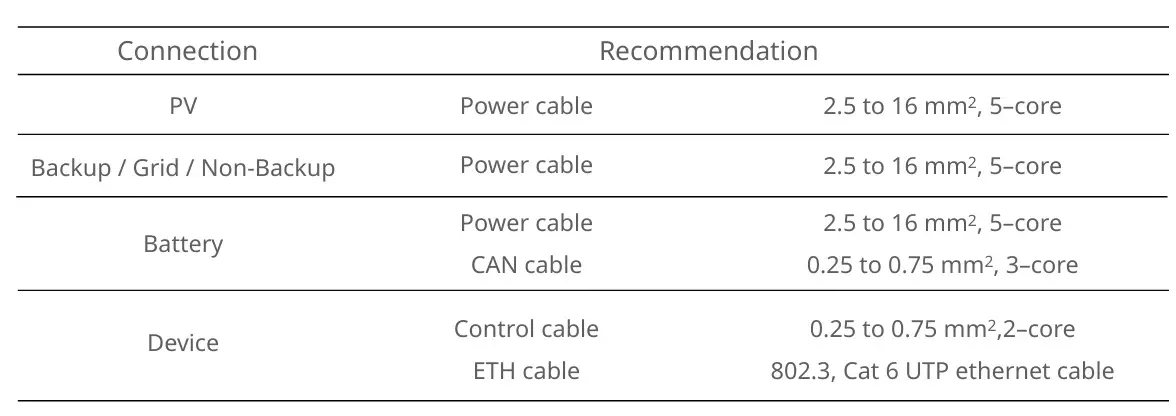 The recommended cable sizing for all relevant components is displayed in the table above.
PV Connection
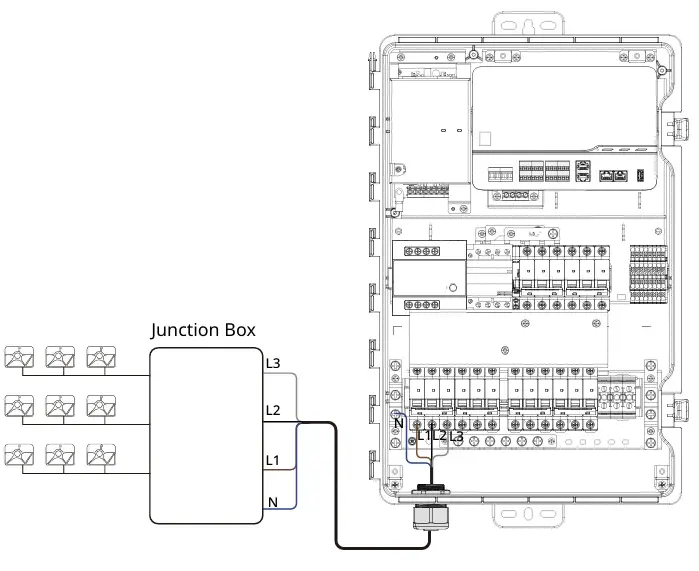
- Connect the 3rd party PV AC cable to the PV breaker.
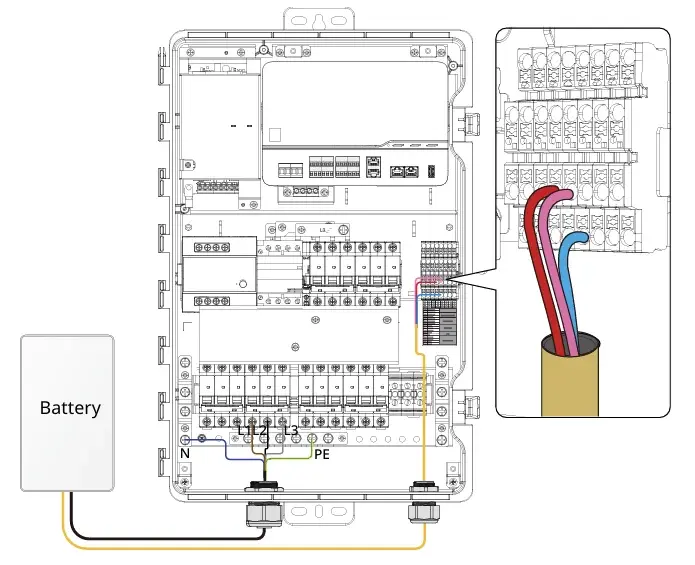
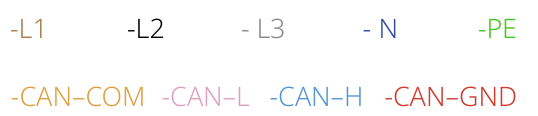
Battery AC & CAN Connection
-
Connect the battery AC cables to the Battery breaker,
- Connect the CAN communication cable to communication terminal.
Always refer to the printed CAN communication labelling on the Combiner Box for accurate terminal locations.
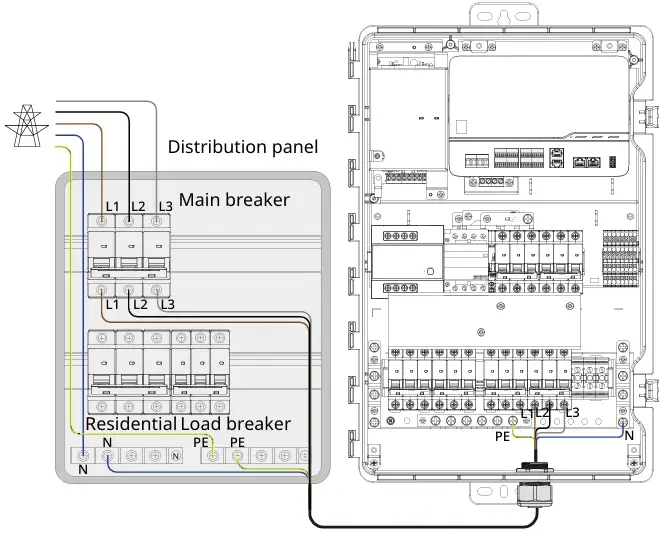
Grid Connection
-
Connect the AC cable from the grid to the Grid breaker.
Backup Load Connection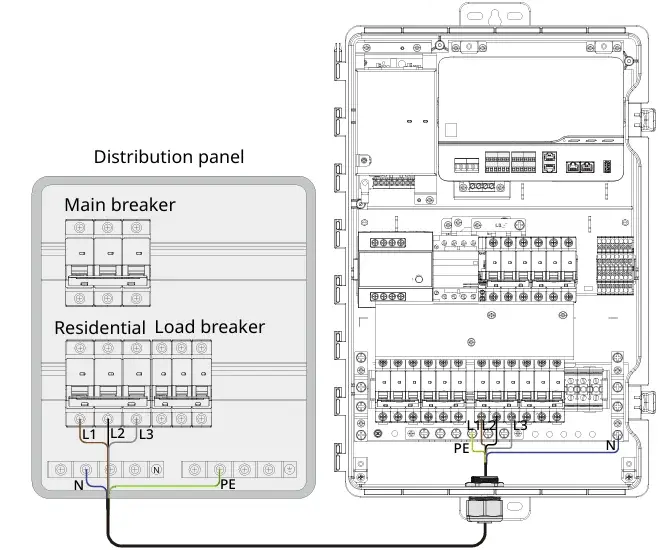
-
Connect the AC cable from the backup loads to the Backup breaker.
Non-Backup Load Connection
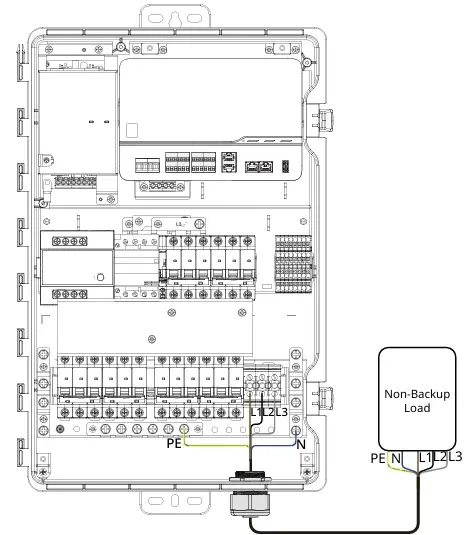
- For any non-backup loads, connect the AC cable to the Non-backup terminal.
Other Connections
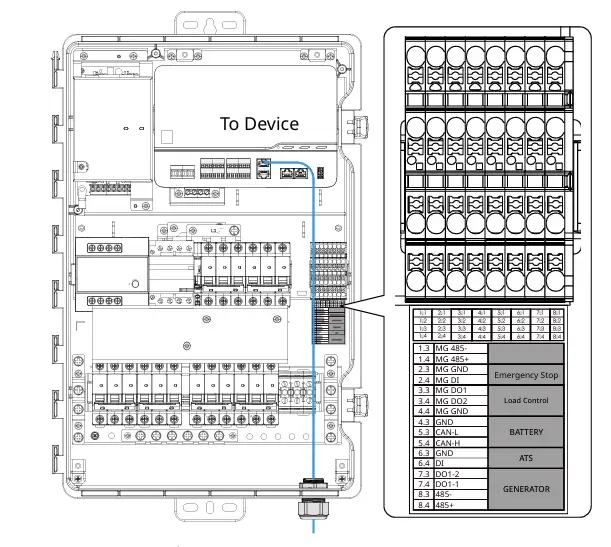
The Combiner Box supports other connections as required.
Information in this article was current at the time of publication or last update. Product specifications, software, firmware and procedures may change. Please refer to the latest ATMOCE documentation before proceeding.