
Contents
Minimum Installation Clearances
Mounting
AC Input Connection
Cover Reattachment
Minimum Installation Clearances
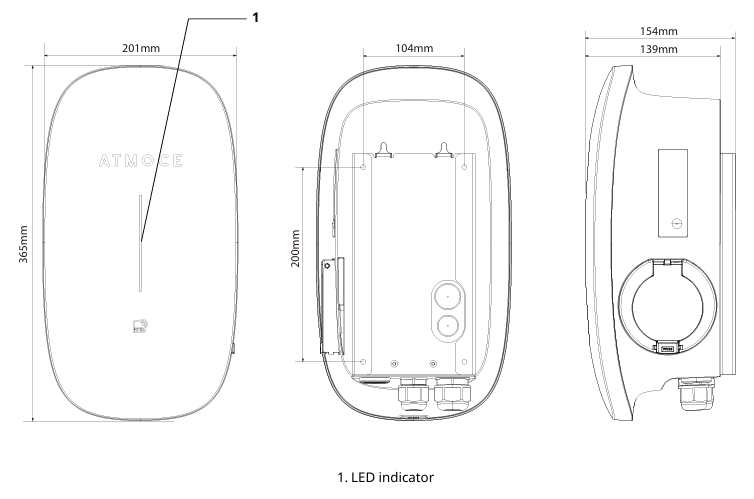
-
Ensure the space allows for the M-EV charger dimensions as shown in the figure above.
-
Ensure there is at least 1100 mm of clearance below the battery.
Mounting
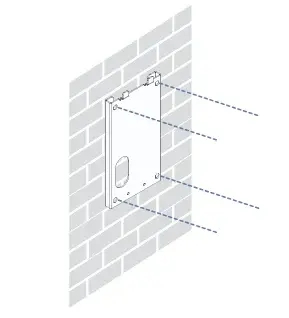
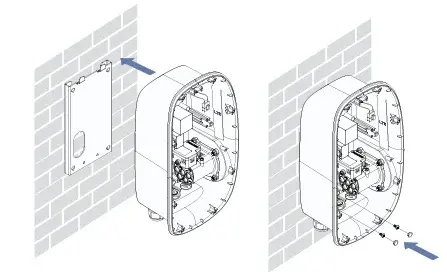
- Drill holes at the wall mounting positions indicated on the marking plate.
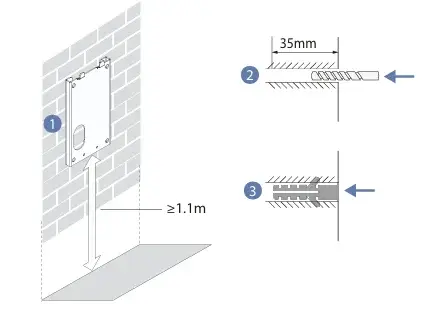
- Insert the 4 wall plugs, then insert 4 M4*12 screws to secure mounting bracket on the wall.
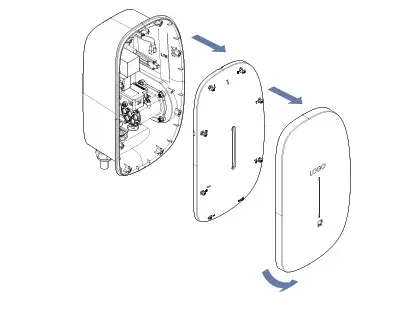
- Insert fingers into bottom notch, pull cover forward, and detach cover.
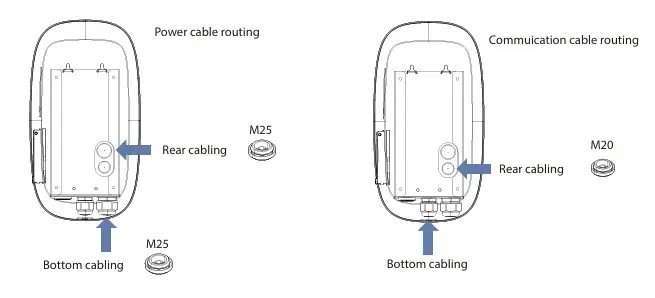
- Confirm AC input connection entry.
- Cable entry can be from the bottom entry or rear entry.
- If rear entry is selected, use the M25 cable grommet to replace the AC cable gland to seal the entry
- Mount charger onto bracket, insert 2 M4*8 screws to 0.6-1.2 Nm, and seal screw holes with 2 rubber plugs.
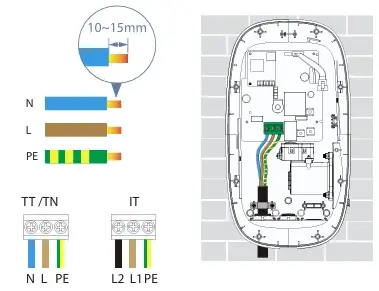
AC Input Connection
-
Connect the AC cable to the AC terminal in the EV charger.
-
Secure cable with cablip and 2 M3*12 screws.
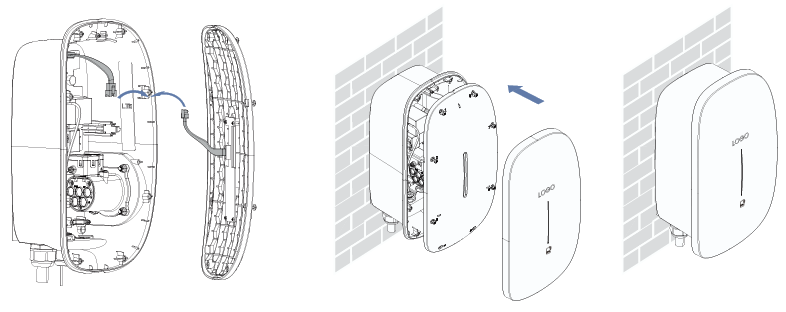
Cover Reattachment
- Connect the 2 jumper wires.
- Tighten the 8 screws of middle cover to 0.6-1.2 Nm.
- Install decorative cover
Instructions to commission the M-EV Charger in the Atmozen app can be found here.
It is important that the system owner keeps the Quick Installation Guide safe to ensure the Bluetooth pairing code is available if a local connection is required. Instructions to collect locally can be found here.
Information in this article was current at the time of publication or last update. Product specifications, software, firmware and procedures may change. Please refer to the latest ATMOCE documentation before proceeding.